Video Guide
Follow this video tutorial guide to see how to set supplier rules.
You can use Supplier Rules to automate routine behaviours of documents from specific suppliers in Akrio.
To set a rule:
- Navigate to the Costs Inbox page.
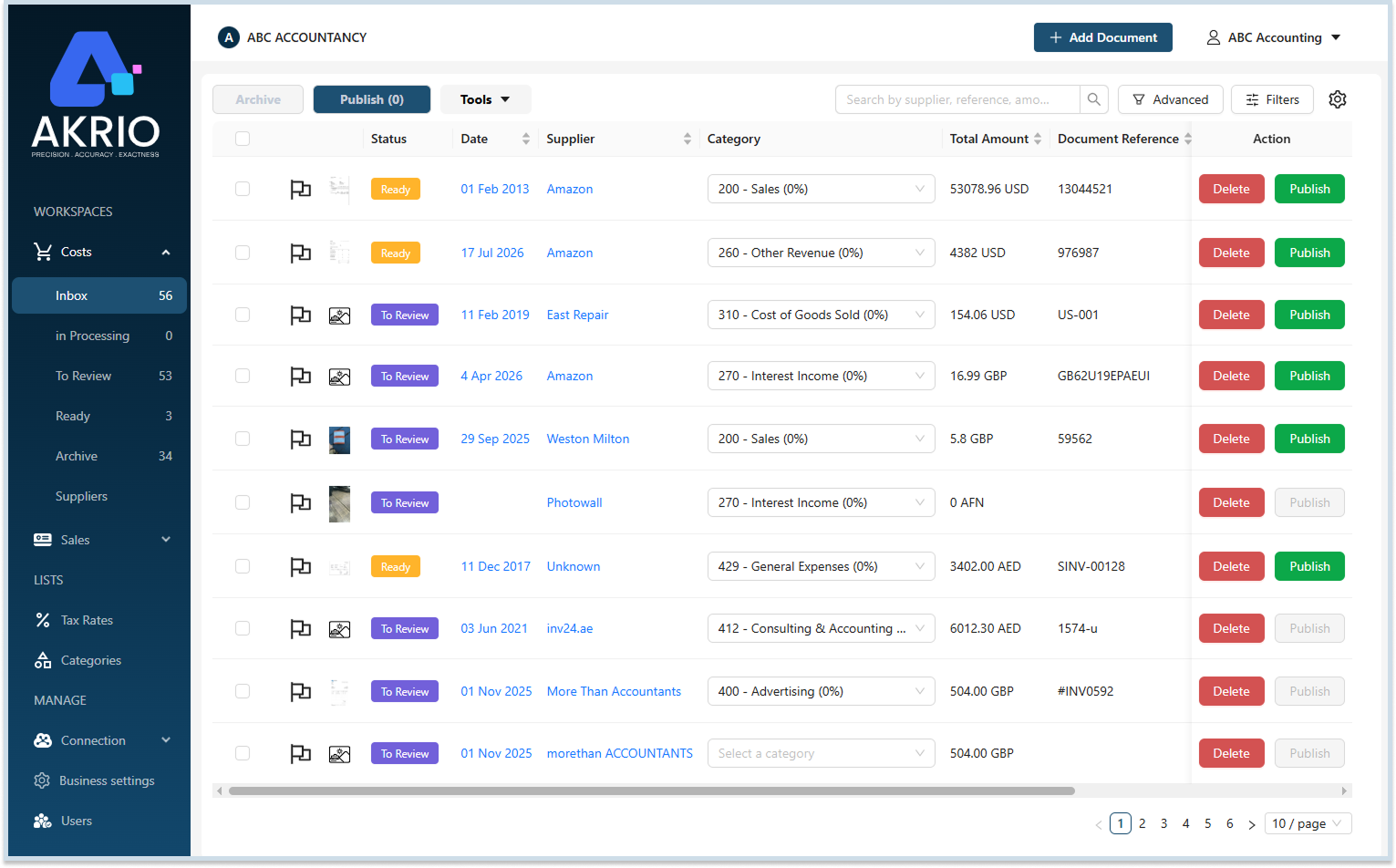
- Choose a document from the list to set its supplier rules.
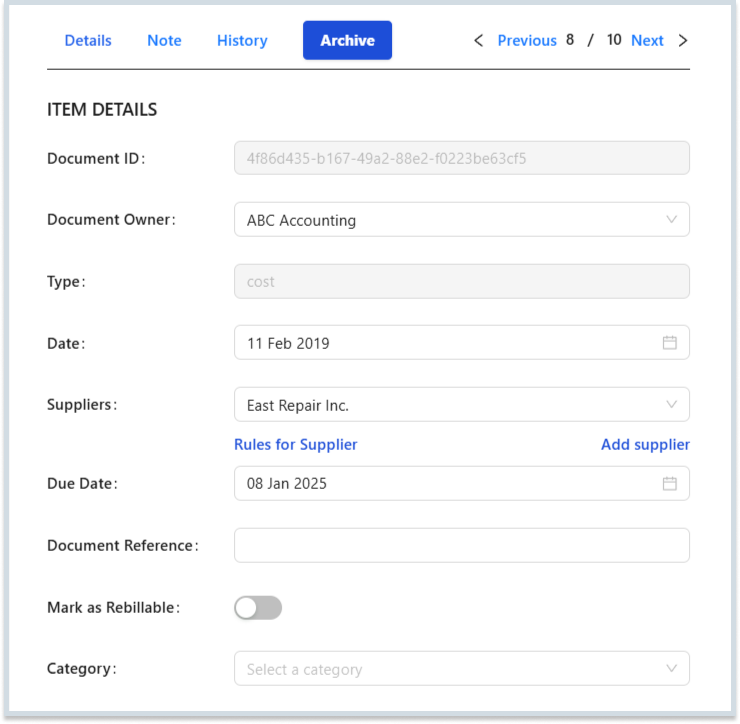
- Click Rules for Supplier.

- Fill in details for available fields like category, publish to, taxes, and currency.
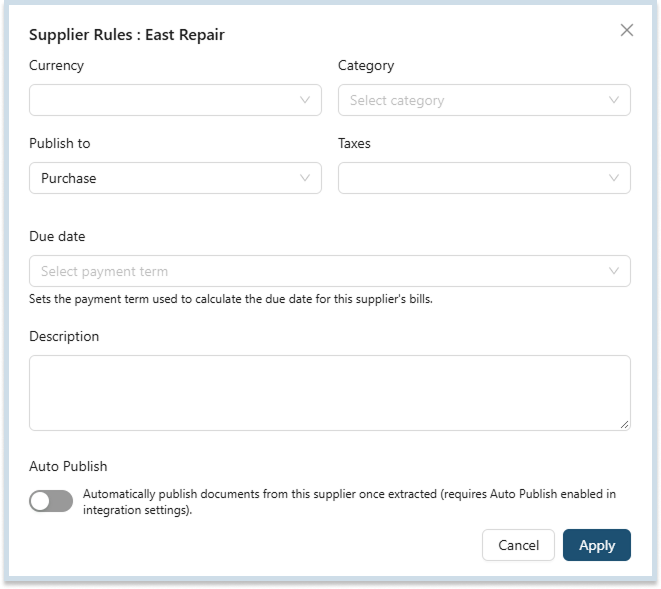
- When ready, click Apply.

Note: Once you’ve set a supplier rule, it will be applied every time a new transaction from that supplier is uploaded to Akrio.
Was this helpful?
Thanks for your feedback!