Video Guide
Follow this video tutorial guide to see how to convert Costs items to Sales and Sales to Costs.
You can convert costs items into sales items and vice versa, enabling seamless transfer of items between the Costs and Sales workspaces.
To Convert Costs items to Sales items:
- Go to Costs WORKSPACES and Click Inbox.
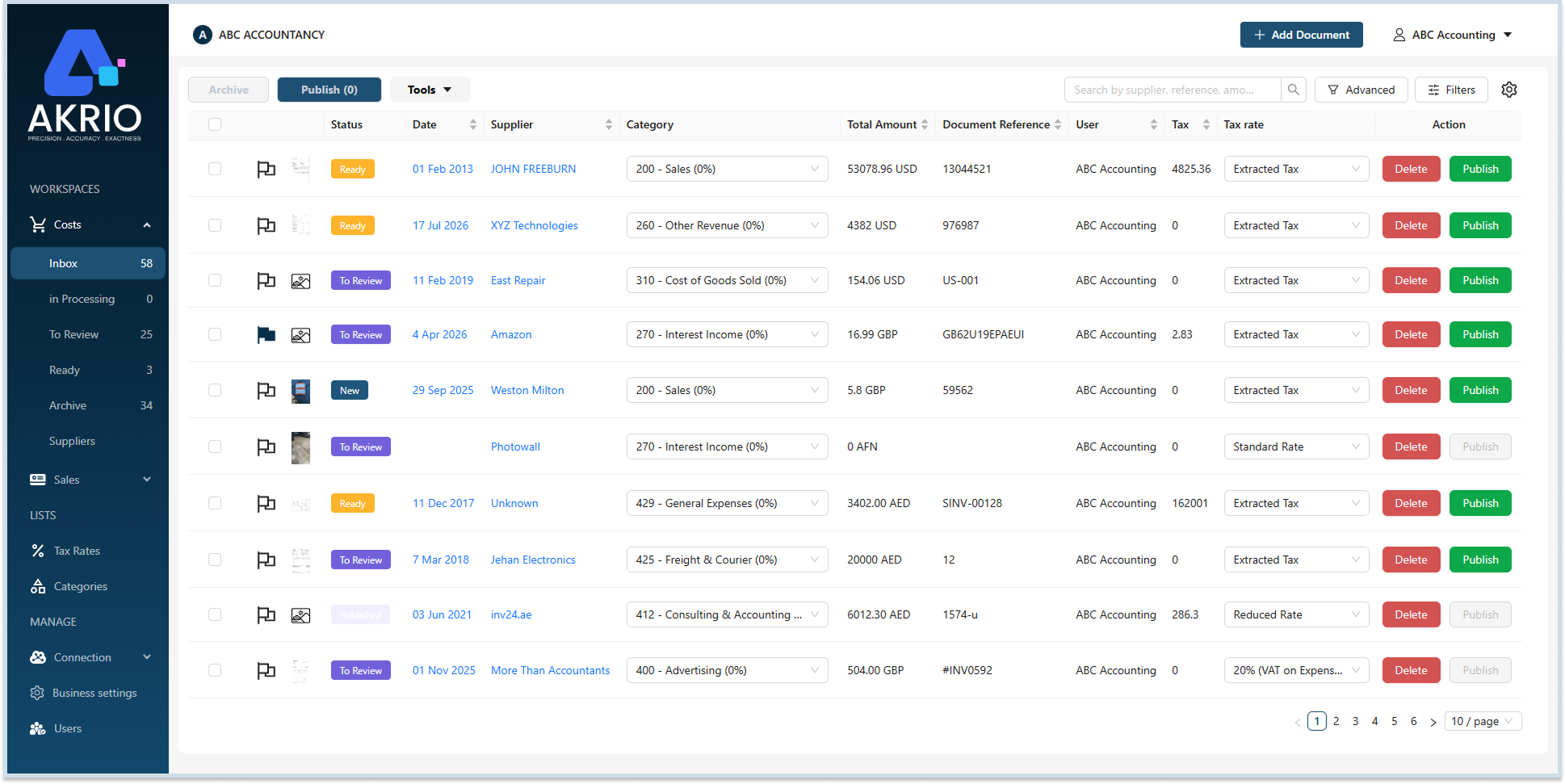
- Click on the Costs item you want to convert.
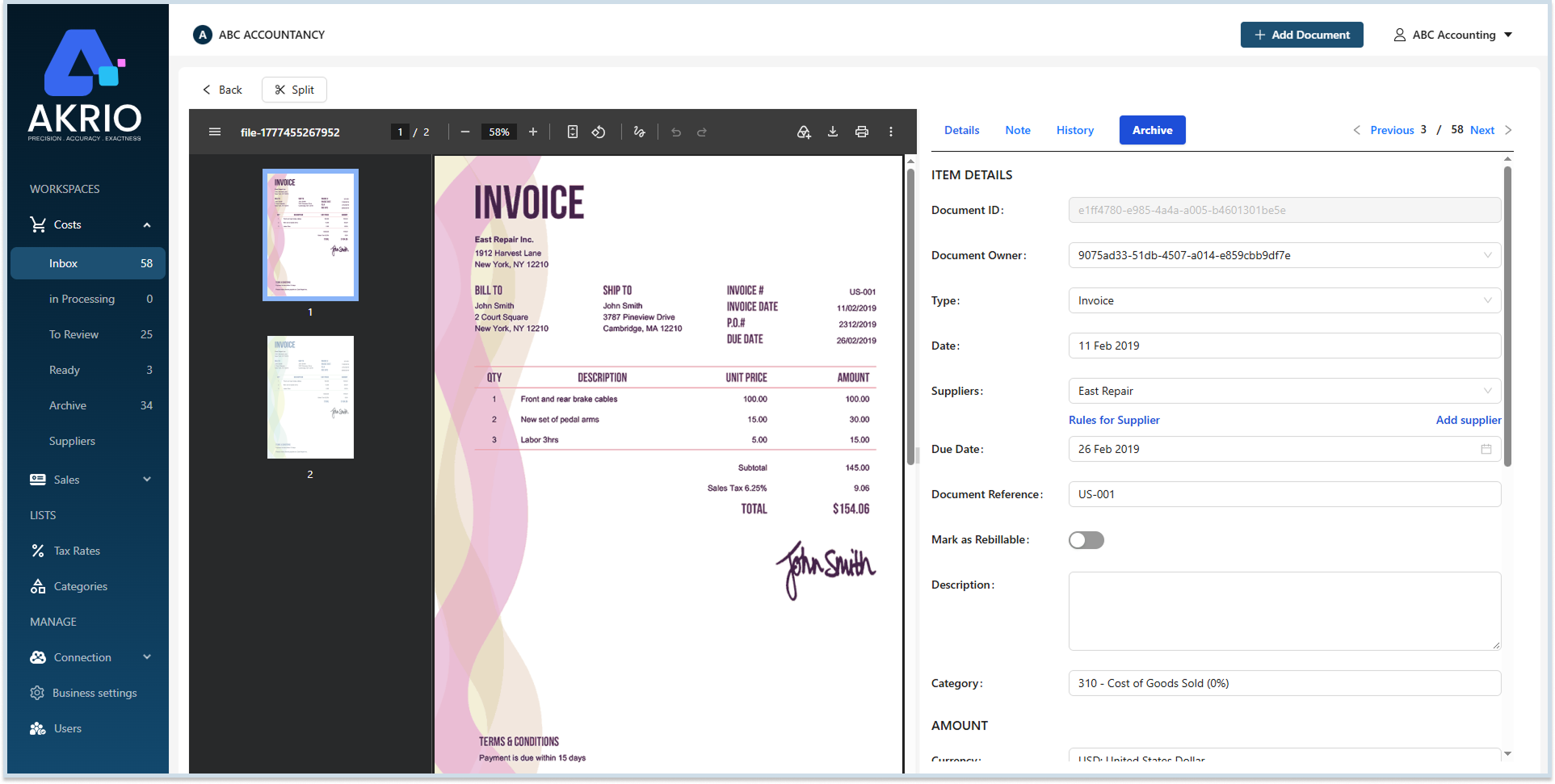
- In the Costs Item details page, scroll down and Click More.
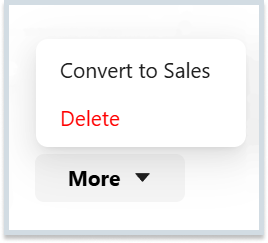
- Now, Click Convert to Sales.
- Then, a confirmation message will appear, asking if you want to move the selected item to Sales. Click Convert.
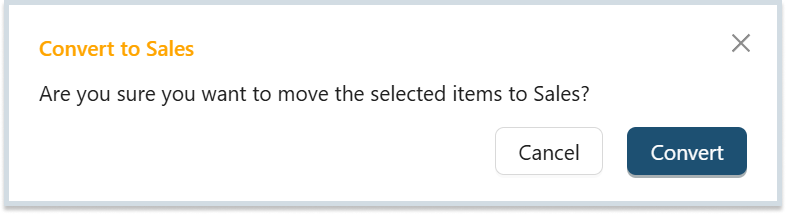
Note: The selected item will be moved to the sales inbox once you click convert.
To Convert Sales items to Costs items:
- Go to Sales WORKSPACES and Click Inbox.
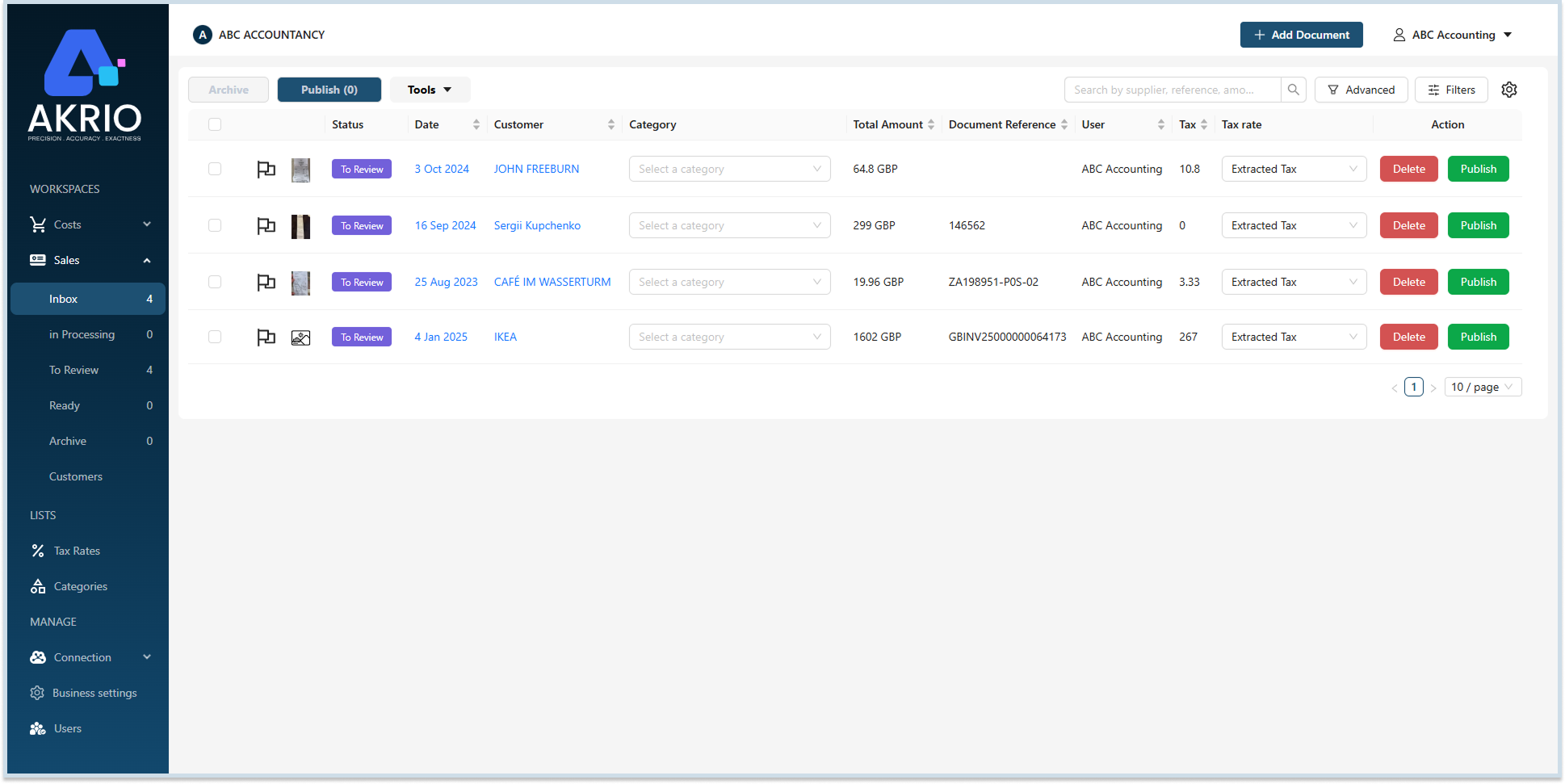
- Click on the Sales item you want to convert.
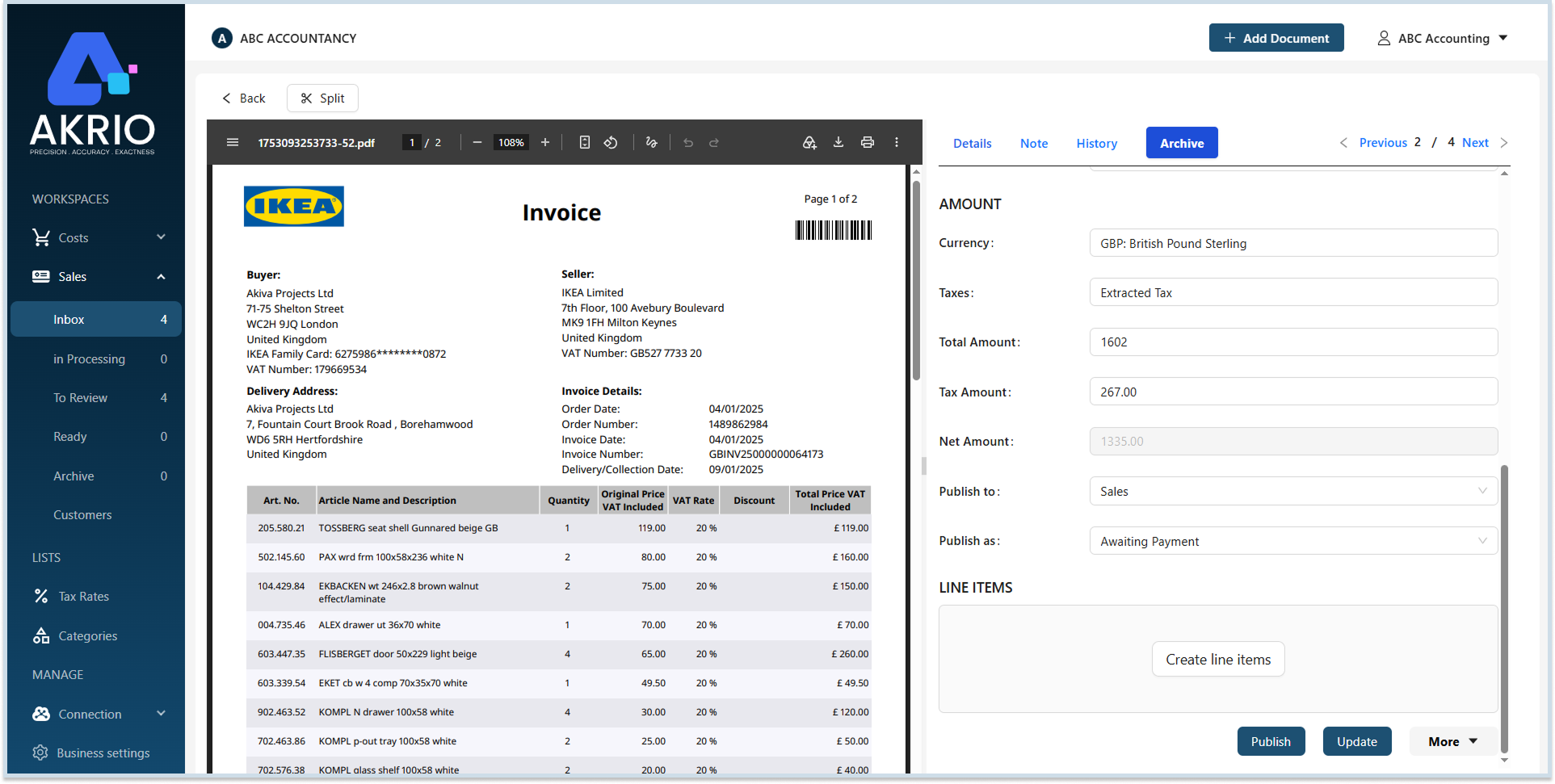
- On the Sales Item details page, scroll down and click More.
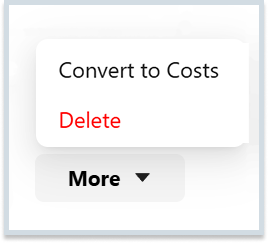
- Now, Click Convert to Costs.
- Then, a confirmation message will appear, asking if you want to move the selected item to Costs. Click Convert.
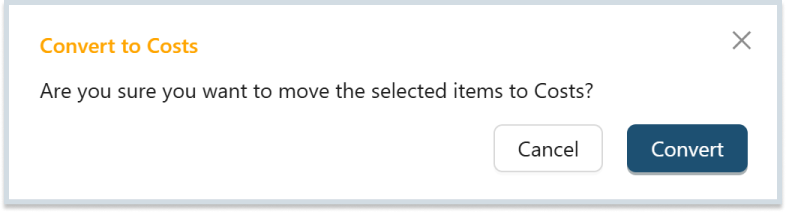
Note: The selected item will be moved to the Costs inbox once you click convert.
Was this helpful?
Thanks for your feedback!