Manage client details in Akrio to keep your accounts up to date. This guide explains the steps to view, update, and request changes to client information.
Video Guide
Follow this video tutorial guide to see how you can View and Edit Client Details.
Clients to View and Edit Their Details in Akrio
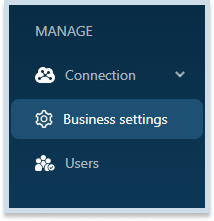
- Navigate to the panel on the right side of the screen. Select Bussiness Settings from the dropdown menu.
- Then, a page will appear with added information including Name, Company Registration Number, Practice Code, Country, base currency.
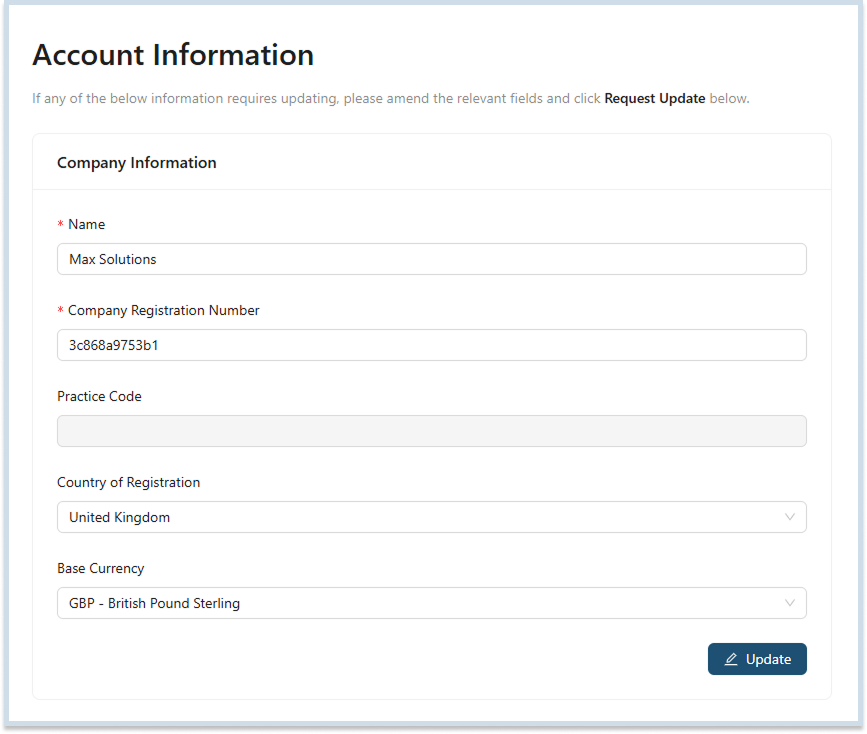
- Make the necessary edits and click Update.

Was this helpful?
Thanks for your feedback!