Video Guide
Follow this video tutorial guide to see How do I bring my supplier and customer lists into Akrio.
If you’ve chosen Akrio for your accounting practice or business accounting, you can import your existing Suppliers and Customers from Xero into Akrio. Follow the steps below, and you’ll be up and running in no time.
Syncing Your Suppliers
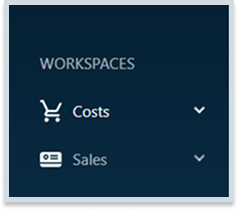
- Once you’re connected to your accounting software, move to Akrio’s sidebar menu. You’ll see the Costs button in the left-hand sidebar. Click it to proceed to the next step.
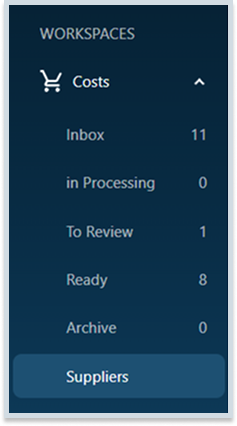
- Then choose Suppliers, as your account is already connected to Xero.
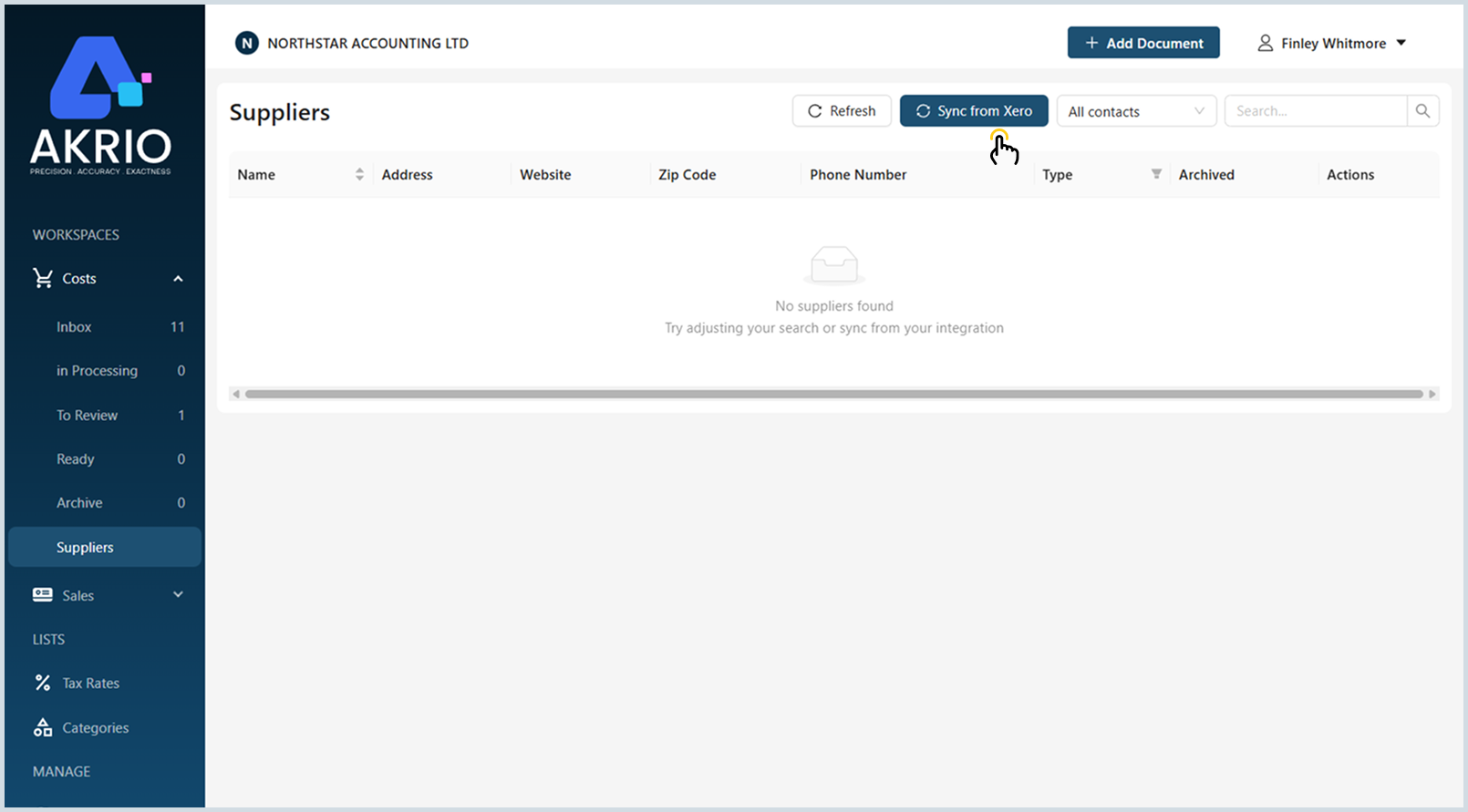
- Hit “Sync from Xero” in the top-right corner of the screen.
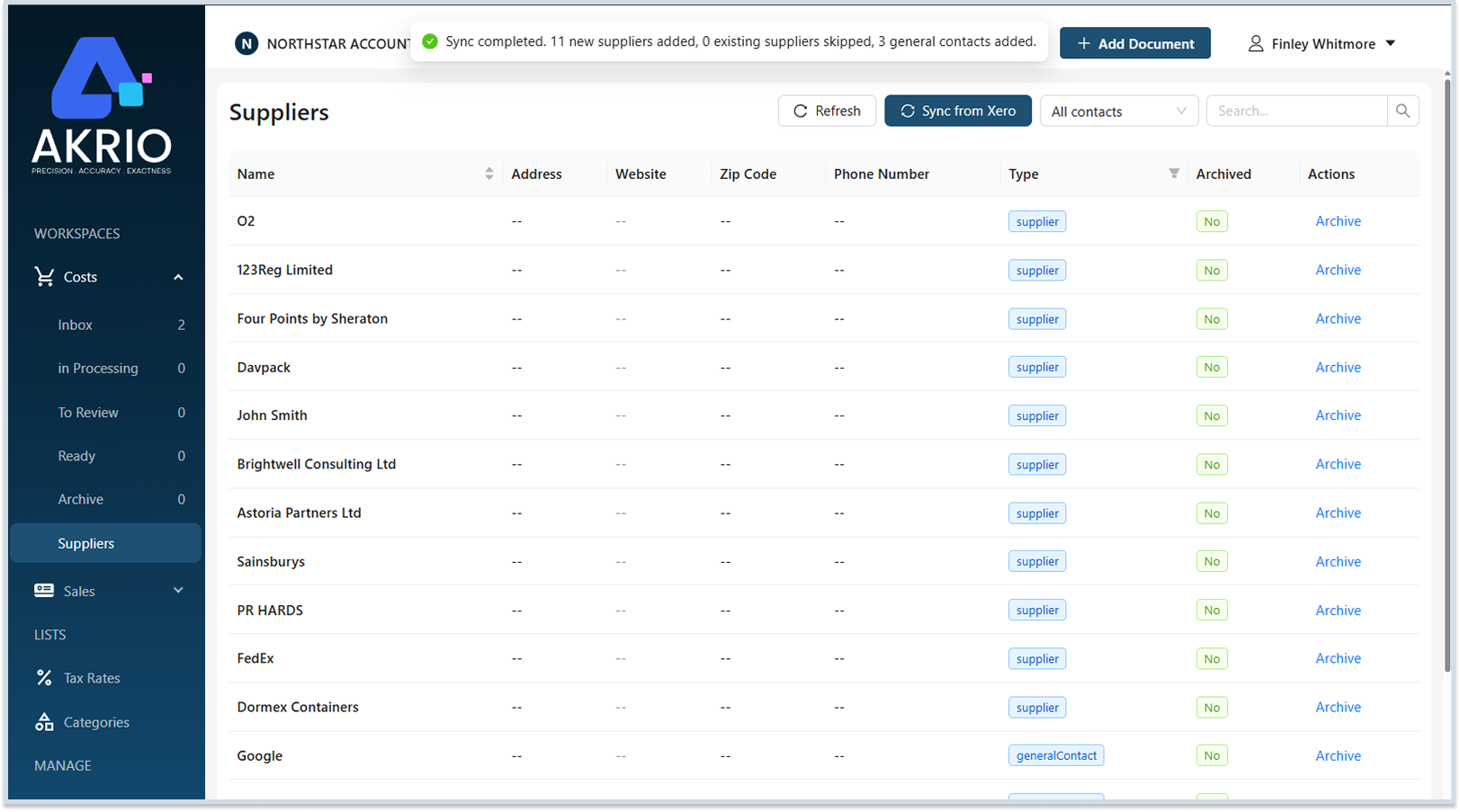
- The sync takes just a few seconds, after which your supplier list will be displayed.
Syncing Your Customers:
Similarly, you can add your existing Customers to Akrio with a few easy steps.
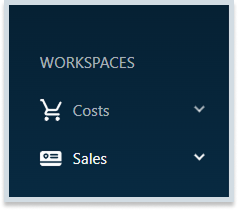
- Click on the dropdown arrow present next to the “Sales” button.
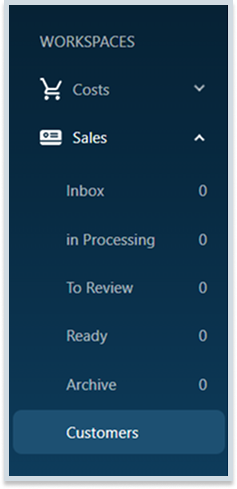
- From the dropdown menu, select the Customers button.
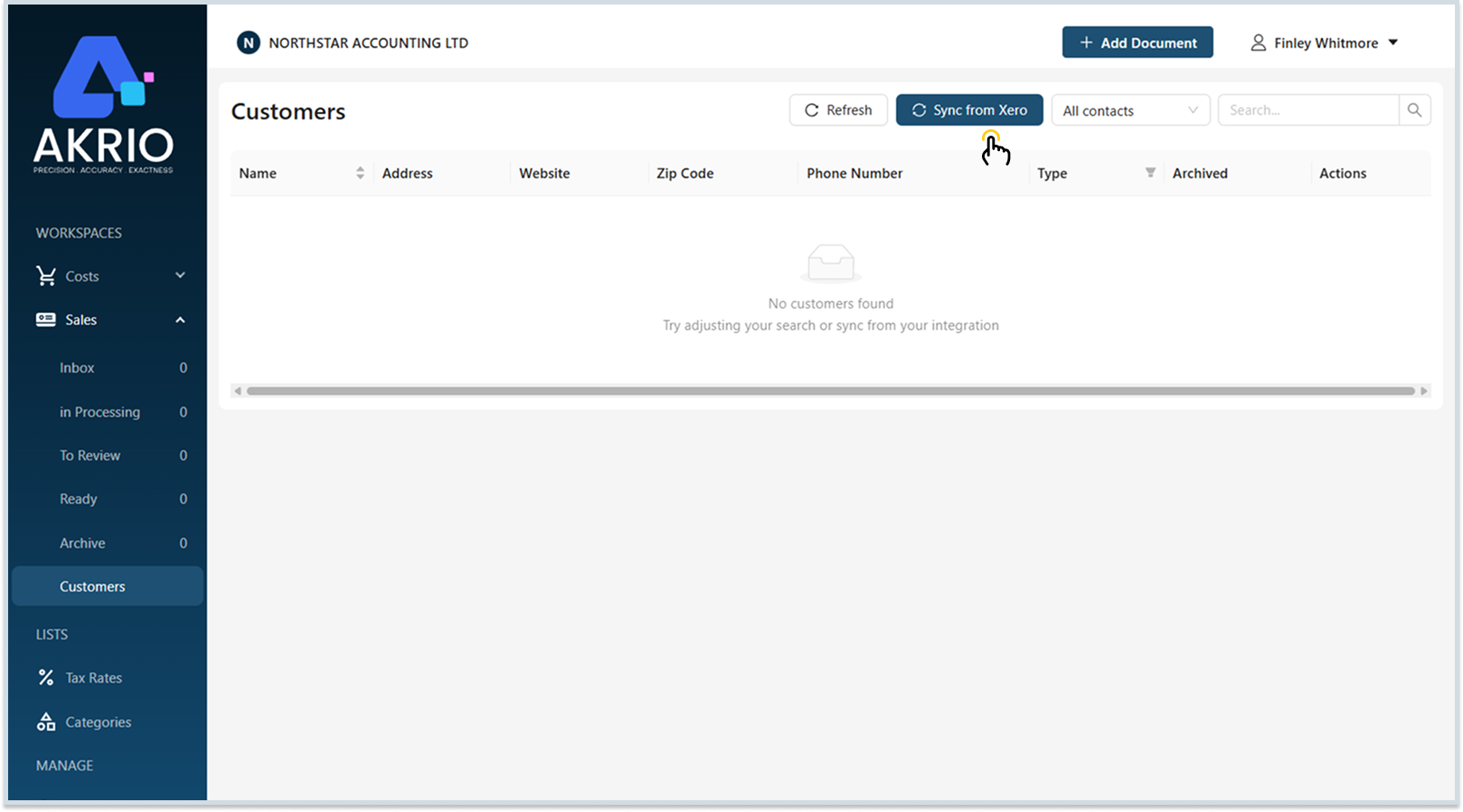
- After that, simply click “Sync from Xero“, positioned at the top right of the screen.
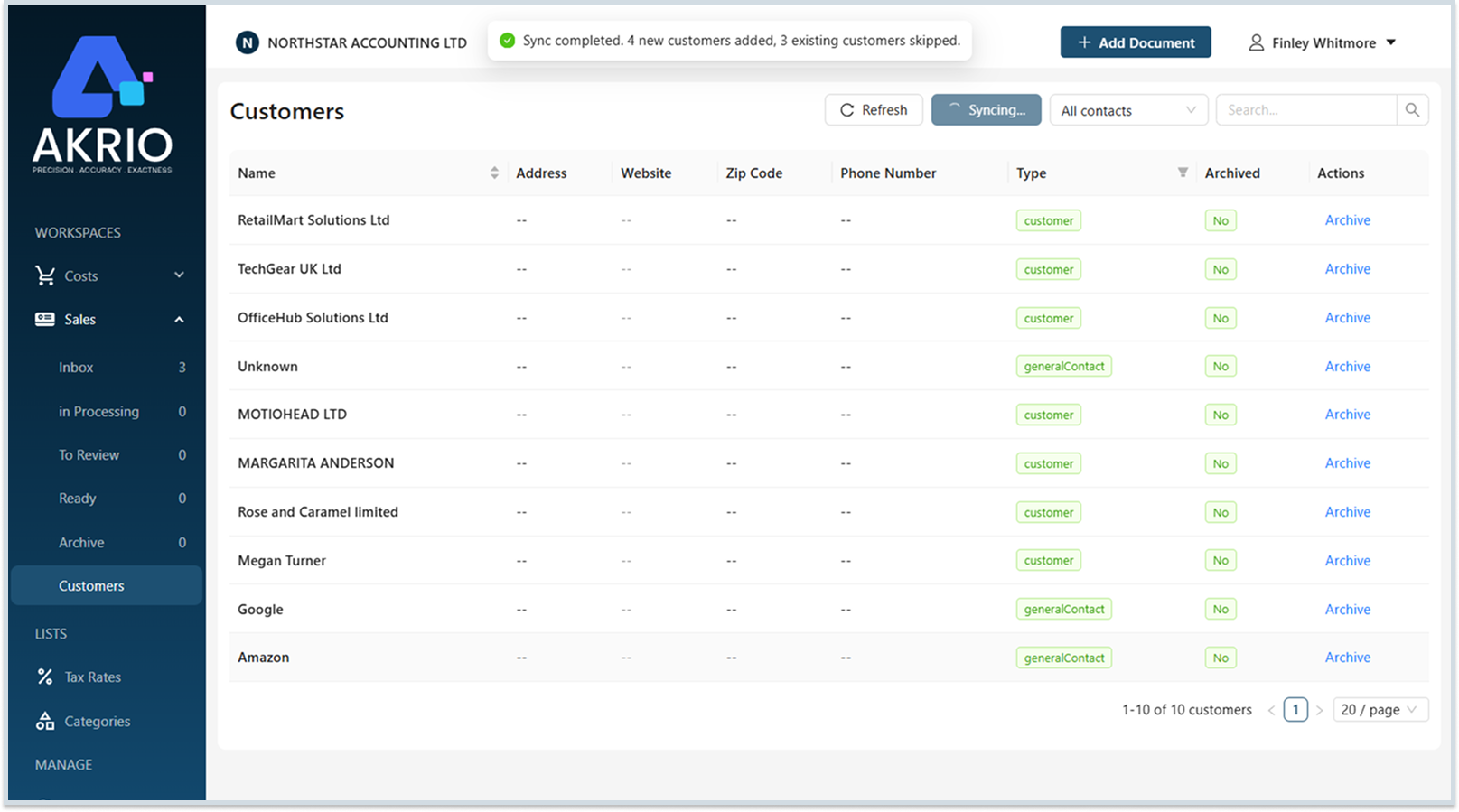
- The synchronization will take a few seconds, and then you can view your Customers list right in front of you.
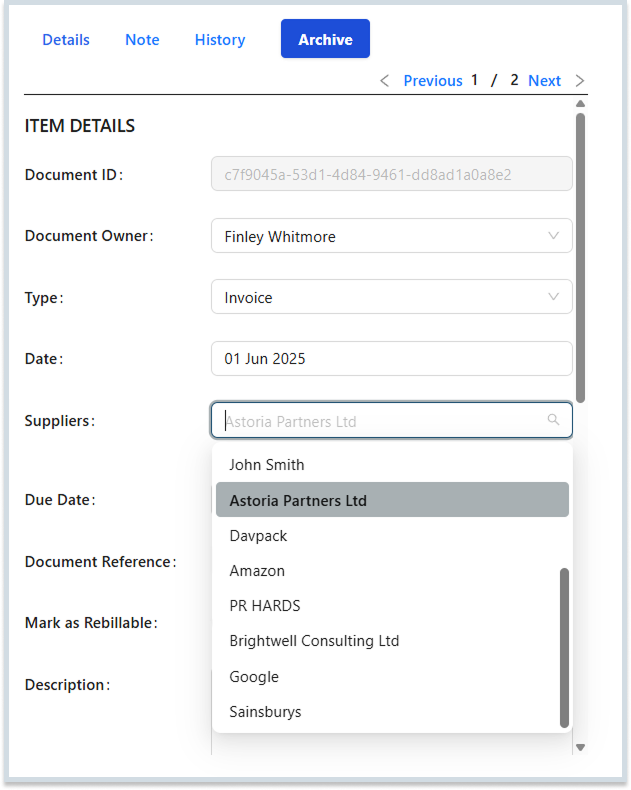
- Once your Customers and Suppliers have been added to Akrio, they will automatically appear in the “Supplier” dropdown on the Document Detail page whenever you add a document.
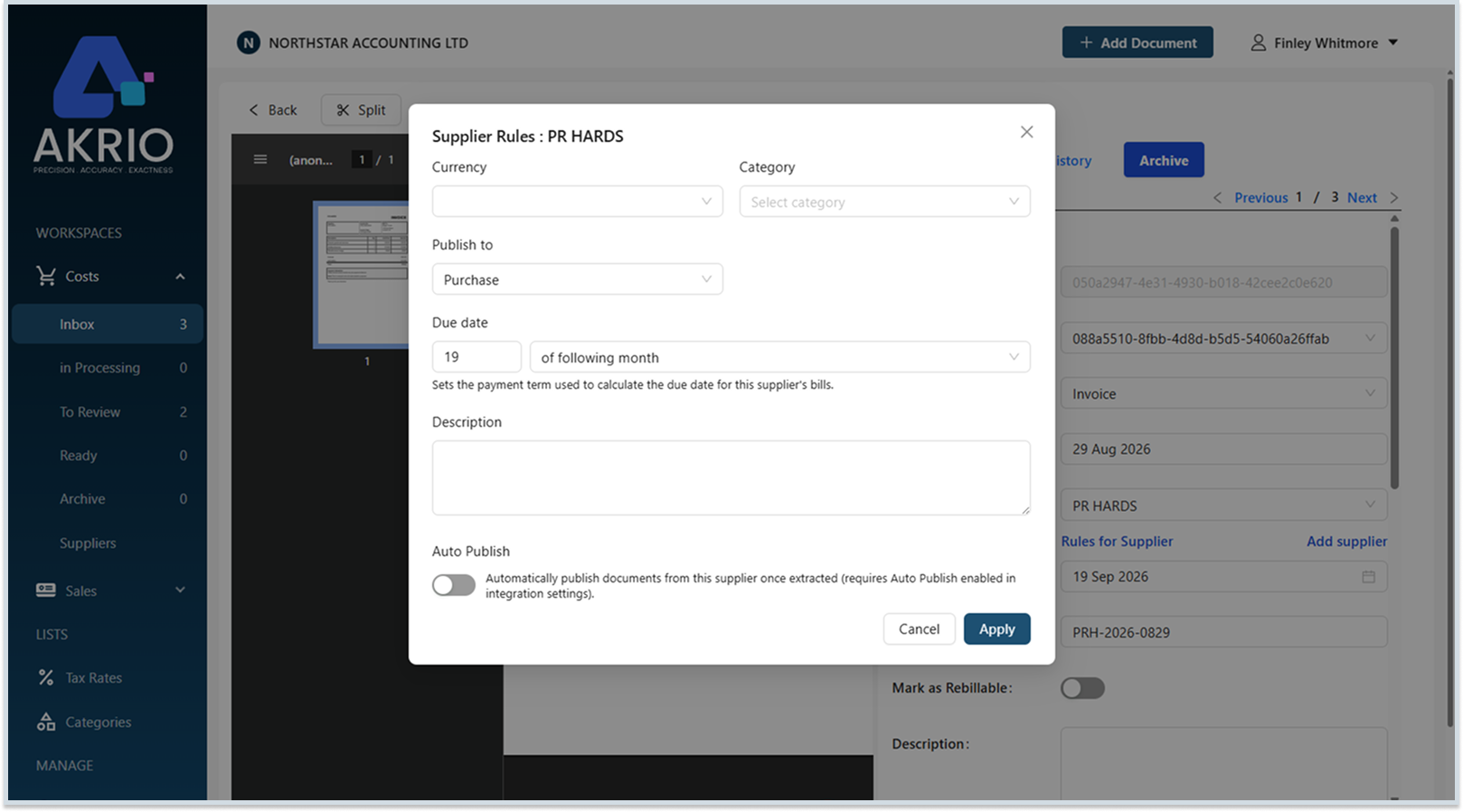
- Akrio will also sync the payment terms of your Suppliers and Customers. Saving you the hassle of entering these details manually.
Was this helpful?
Thanks for your feedback!